
Think about the last time you needed a document that was sitting on your partner's laptop. Maybe it was a warranty for a major appliance, or perhaps a login credential for a subscription service they manage. You probably sent a text message, waited for a reply, and then realized the answer was buried in an email thread from three years ago. Now multiply that friction by ten. Add in medical records, insurance policies, utility accounts, and the passwords for those accounts. Most families operate with a chaotic mix of shared spreadsheets, sticky notes on the fridge, and vague memories of who holds which master key.
This disorganization isn't just annoying; it creates real vulnerability. If one person is traveling, hospitalized, or simply offline for a few days, the rest of the household can be left scrambling to access critical information. The solution isn't more folders on a shared drive where everyone can see everything. It is a structured, secure way to share only what is necessary, when it is necessary. This is where a digital vault changes the dynamic entirely.
The Problem with Shared Folders and Sticky Notes
We often treat family information like public property. We create a shared Google Drive folder named "House Stuff" and dump everything in there. The problem is that this approach lacks granularity. When you give someone access to a folder, you give them access to every file inside it. There is no easy way to say, "You can see the mortgage documents, but not the investment portfolio," without creating complex permission structures that are difficult to maintain.
Worse, these traditional methods rely on centralized servers. If the provider changes their policy, suffers an outage, or if your account is compromised, your entire family's administrative backbone disappears. You also have to trust that the company hosting your files cannot read them. In many standard cloud services, the provider holds the encryption keys. They can technically view your data if compelled by law enforcement or if their systems are breached.
A better approach requires a system designed specifically for conditional sharing. You need a place where sensitive data is encrypted before it ever leaves your device, ensuring that only the people you explicitly authorize can decrypt it. This is the core promise of modern password storage solutions that have evolved beyond simple credential managers into comprehensive family hubs.
How Conditional Access Continuity Works
Imagine you are going on a two-week hiking trip with no cell service. You want your spouse to be able to access the Wi-Fi password at your rental cabin and the login for your online banking app, but only after you arrive. Or consider a scenario where you are undergoing a scheduled surgery and want your caregiver to have temporary access to your medical portal credentials while you are under anesthesia. These are moments of "conditional access continuity."
In a traditional setup, you would have to write these passwords down and hand them over physically, which feels risky, or send them via a messaging app, which leaves a permanent, unencrypted trail. With a specialized digital vault, you set up triggers in advance. You define the condition-such as a specific date, a period of inactivity, or a manual release-and the system handles the rest. When the condition is met, the recipient receives a secure link or notification granting them access to the specific file or note you designated. They do not need technical expertise to open it; the decryption happens seamlessly on their end.
This mechanism removes the anxiety of "what if I'm not available?" You are not relying on memory or physical paper trails. You are relying on code that executes exactly as you programmed it. This level of control is essential for managing the delicate balance between privacy and preparedness within a family unit.
Why Decentralized Storage Matters for Families
The security of your family's data depends heavily on where it lives. Traditional cloud providers store your files on their own corporate servers. This creates a single point of failure. If that server goes down, your data is inaccessible. If the company ceases operations, your data might disappear with it. More importantly, because they hold the keys, they are a target for hackers.
Decentralized storage offers a different model. Instead of one central server, your files are broken into chunks, encrypted, and distributed across a network of nodes. For example, platforms like Vaulternal use a combination of Arweave for permanent storage, IPFS for peer-to-peer distribution, and Polygon for anchoring metadata on-chain. This means your data is not sitting in a single bucket waiting to be tipped over. It is spread out, immutable, and resilient.
For a family, this translates to long-term peace of mind. You don't have to worry about a vendor locking you out or a server crash erasing years of accumulated documents. The infrastructure is designed to persist independently of any single company's lifespan. As long as the underlying protocols exist, your data remains accessible to those you have authorized. This is a significant shift from renting space on a corporation's hard drive to owning your own encrypted archive.
Vaulternal: A Digital Vault Built for Families
When looking for a tool that combines ease of use with enterprise-grade security, Vaulternal's family vault stands out as a practical solution. It is not just a password manager; it is a comprehensive hub for all the critical information your household needs. The platform uses client-side AES-256 encryption, meaning your files are encrypted on your device before they are ever uploaded. Vaulternal never sees your data, and they cannot recover it if you lose your keys. This zero-knowledge architecture ensures that your privacy is absolute.
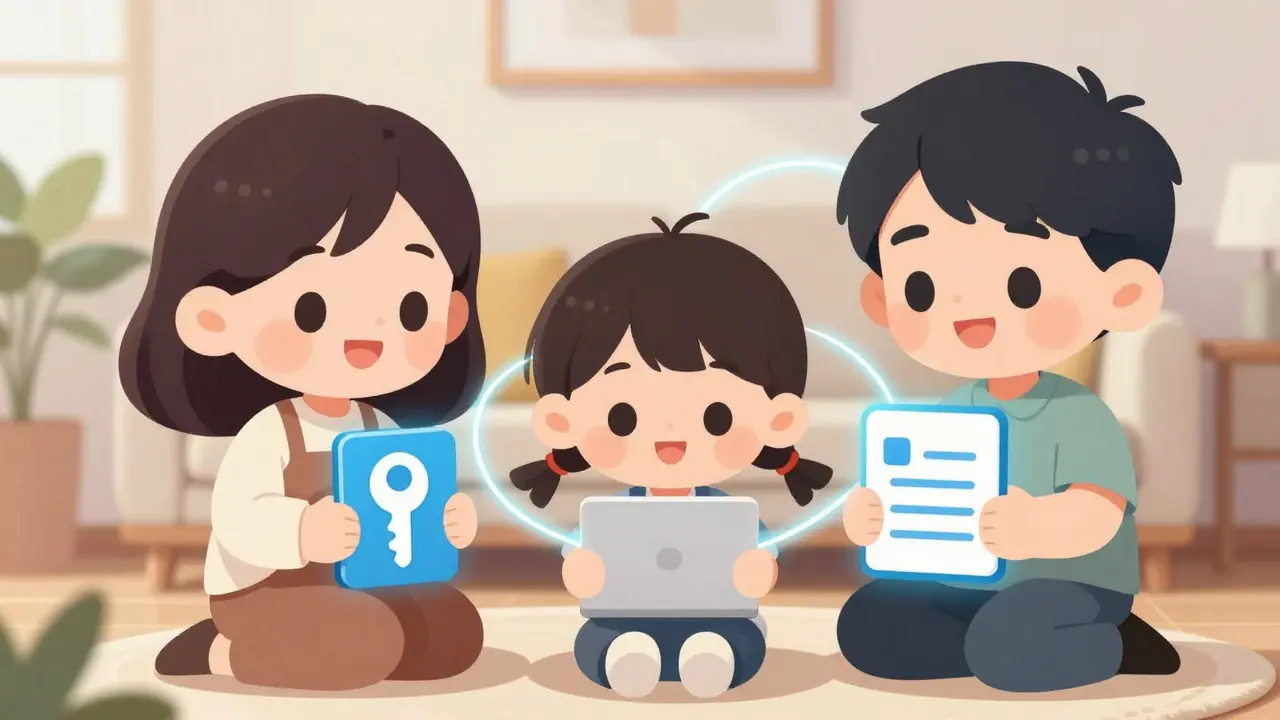
What makes Vaulternal particularly suitable for families is its focus on multi-recipient sharing with per-recipient encrypted access keys. You can invite your spouse, your parents, or a trusted friend to your vault. You then decide exactly which files they can see. Perhaps your spouse gets access to financial documents, while your sibling only has access to family history photos and scanned birth certificates. Each recipient manages their own access independently, and you can revoke or modify permissions at any time.
The platform also supports various file types, not just text-based passwords. You can upload PDFs of insurance policies, images of ID cards, or video notes. The trigger system allows you to schedule access. For instance, you could set up a note containing holiday gift ideas to unlock on December 1st, or grant a contractor access to your smart home codes only during their work hours. This flexibility turns the vault into a living tool for daily coordination, not just a static archive.
What to Put in Your Family Vault
Getting started involves curating the information that actually matters. Don't try to migrate your entire life at once. Start with the high-friction items-the things you find yourself searching for repeatedly or worrying about losing. Here is a practical checklist:
- Credentials: Logins for utilities (electric, water, gas), internet service providers, and streaming services. Include the username, password, and any two-factor authentication backup codes.
- Financial Documents: Scans of tax returns, investment account summaries, and loan agreements. Store these in a separate folder with restricted access.
- Medical Information: Insurance policy numbers, doctor contact details, and emergency medical directives. Ensure these are accessible to your primary caregiver.
- Property Records: Deeds, titles, and warranty information for major appliances and vehicles.
- Personal Notes: Instructions for how to reset the router, the combination to the safe, or the name of the neighbor who has a spare key.
As you populate the vault, think about who needs to know what. Avoid the temptation to give everyone full access. Granularity is your friend. The more precise your permissions, the safer your data and the less cluttered each user's view becomes.
Setting Up Permissions and Triggers
Once your data is in the vault, the next step is configuring access. Vaulternal’s interface makes this straightforward. You add a recipient by their email address. They receive an invitation to join your vault network. Once they accept, you assign them to specific collections or individual files.
For scenarios involving temporary access, use the trigger system. Let’s say you are sending a letter to your future self-a birthday note you want to read in five years. You can upload the note and set a time-based trigger for that specific date. Until then, the file is locked, even to you. This feature adds a layer of intentional planning to your digital life. It encourages you to think ahead about when information should become available, rather than leaving it perpetually exposed or permanently hidden.
If you are concerned about being unreachable during a planned absence, such as a remote work retreat, you can set an inactivity trigger. If you do not log in for a specified period, the system automatically grants access to your designated emergency contact. This ensures that your family is never left in the dark due to a simple lack of connectivity.
Choosing the Right Plan
Vaulternal offers a tiered pricing structure that scales with your needs. The Free plan provides 2 GB of storage, which is sufficient for most families starting out. You can store dozens of high-resolution scans and hundreds of text notes without paying anything. There is no credit card required to sign up, so you can test the workflow risk-free.
If your family generates a lot of data-perhaps you store large video files or extensive archives of historical documents-you might consider the Starter plan at $8.33 per month (billed annually) or the Pro plan at $15 per month (billed annually). Both paid plans offer unlimited storage. The decision comes down to volume. For most households, the transition from free to paid happens gradually as they realize the value of having everything organized in one secure place.
Is Vaulternal safe if the company shuts down?
Yes. Because Vaulternal uses decentralized storage on networks like Arweave and IPFS, your files are not stored on Vaulternal's proprietary servers. Even if the company ceased operations, your encrypted data would remain accessible through the distributed network, provided you have your decryption keys.
Can I change who has access to my files later?
Absolutely. You retain full control over permissions. You can add new recipients, remove existing ones, or change the scope of their access at any time. Changes take effect immediately upon saving.
Do my family members need to download special software?
No. Recipients access shared files through a web browser or the Vaulternal app. They do not need technical knowledge to decrypt or view the content you have shared with them.
What happens if I forget my master password?
Because Vaulternal uses zero-knowledge encryption, they cannot reset your password for you. It is crucial to store your recovery keys securely. This is why the family vault feature is valuable-it allows you to share your recovery information with trusted contacts under strict conditions.
Can I use Vaulternal to send messages to myself in the future?
Yes. You can upload notes, letters, or videos and set a time-based trigger to unlock them on a specific future date. This is a popular way to send a letter to your future self or schedule important reminders.